KidCAD
For kids, parents and home 3D printers

Design it, see it, fix it, print it.

KidCAD turns "a rocket pencil holder" into something your printer can make. Kids describe it, draw it, or build it from shapes with Sparky the dragon showing them how. Everything runs on your own computer.

Linux, Windows and Mac. Windows and Mac are new and being tested.

z z Z

STANDBY Β· SPARKY NAPS UNTIL YOU PRINT

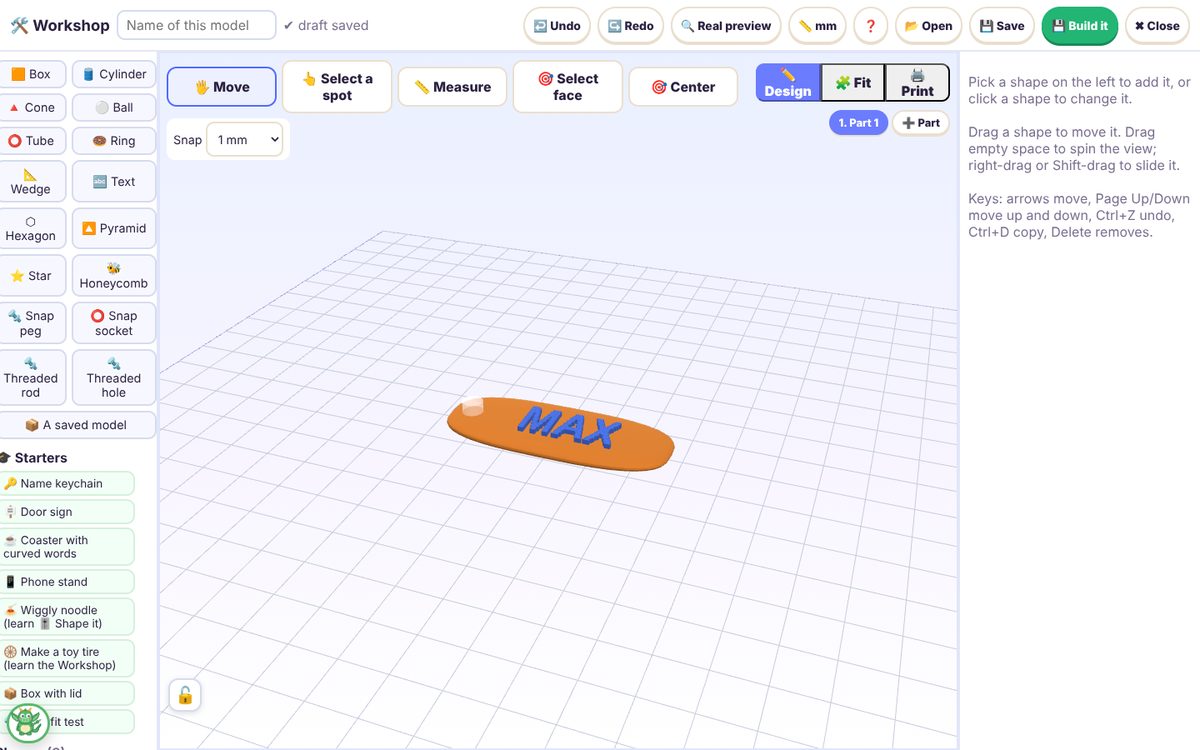
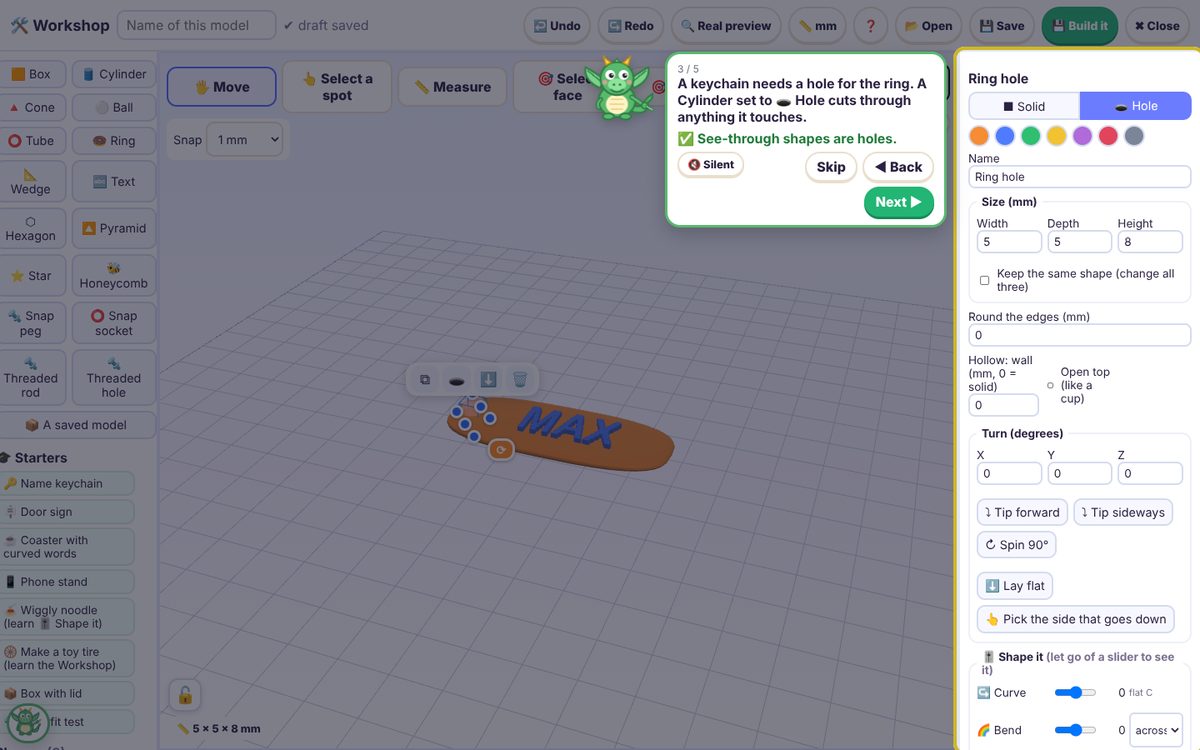
The KidCAD Workshop: Sparky explains holes while a name keychain that says MAX is built
The Workshop. Shapes, words and holes, with Sparky walking kids through starter projects like a name keychain.
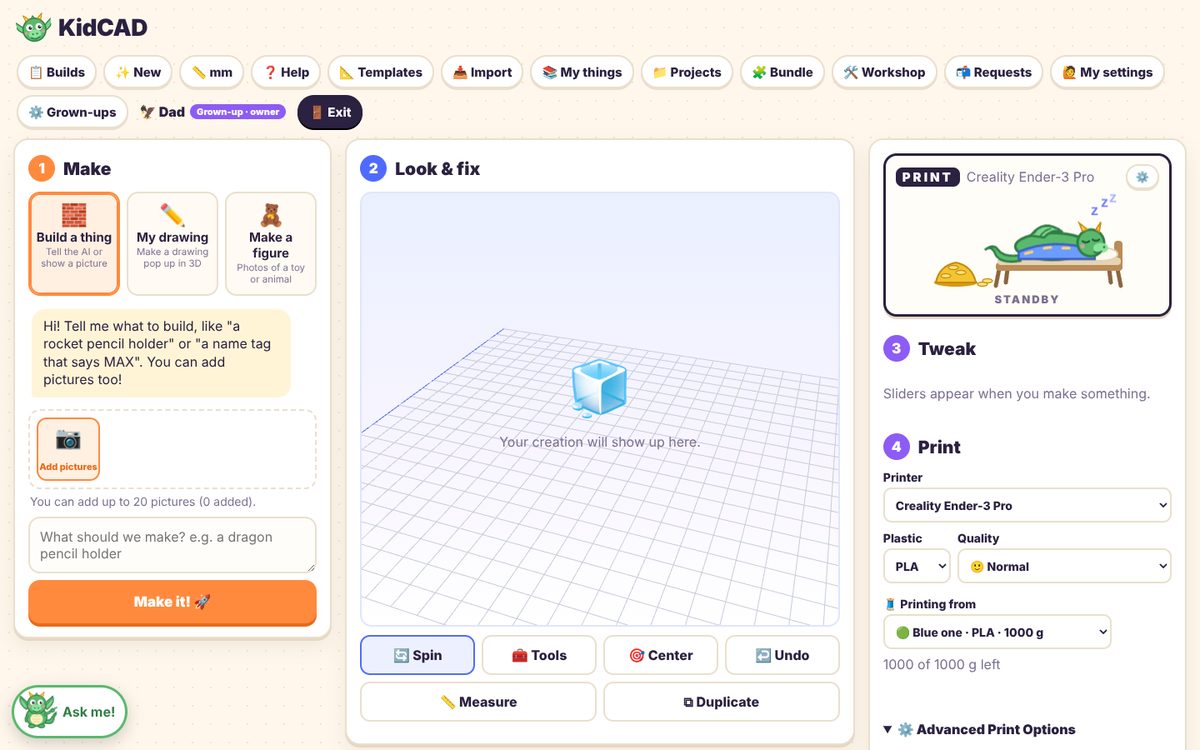
The KidCAD main screen: 1 Make, 2 Look and fix, 3 Tweak, 4 Print, with Sparky asleep in the PRINT box
Make, look, tweak, print. Type an idea or add a picture. The PRINT box shows Sparky napping until the printer starts.
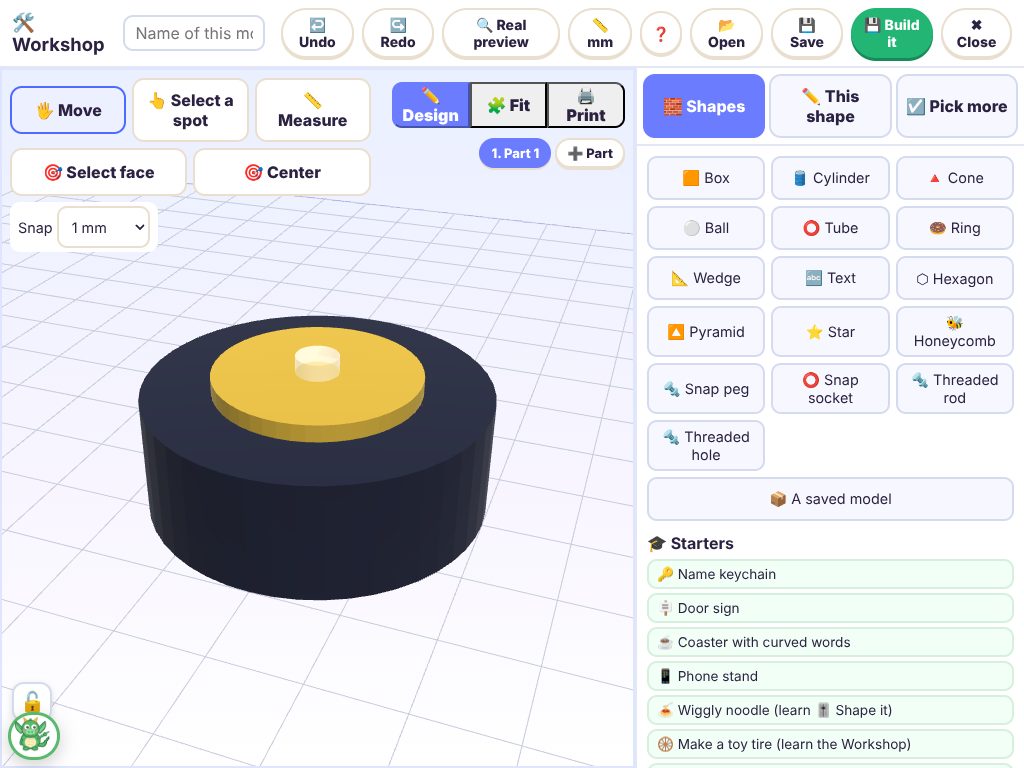
KidCAD on an iPad: a toy tire with a gold rim in the Workshop
Tablets too. Phones and iPads on your home Wi-Fi use the same KidCAD, once a grown-up approves them.
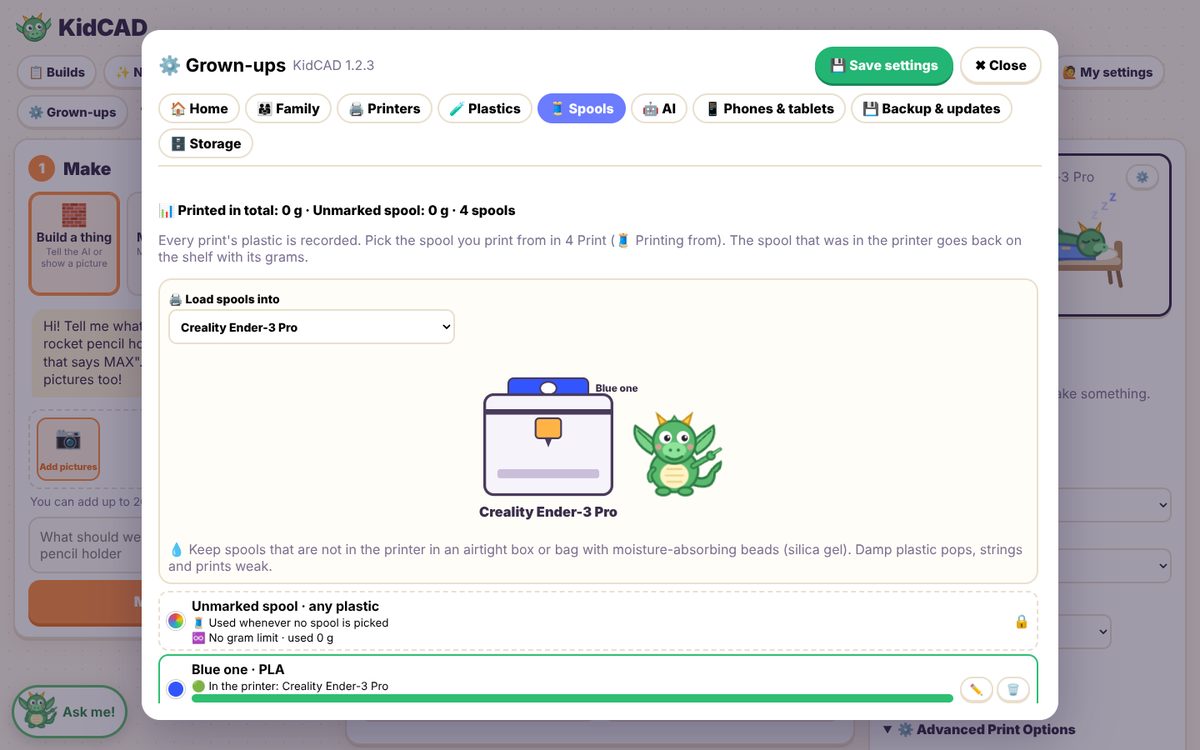
Grown-ups settings: spools with Sparky loading the printer and grams left on each spool
Spools that keep count. Every print's grams come off the spool it used. Sparky shows what's loaded.

Stays at home

The AI runs on your own computer. No online accounts, no ads, and kids' designs never leave the house.

Grown-ups decide

Every print needs a grown-up PIN. Parental controls turn features on or off for each child, with time limits if you want them.

Your printer

23 printer profiles built in, from the Ender-3 to the Prusa MK4 and Creality K1, and adding yours takes a minute.